
Use the Mega888Go PC link, keep Windows Security on, scan the file and decline unrelated bundled software.
Ready to download for PC?
The button opens mega888go.ws/pc/dl/. Return here for compatibility and setup help.
PC readiness checklist
- Install current Windows security updates.
- Confirm support for your Windows version and architecture.
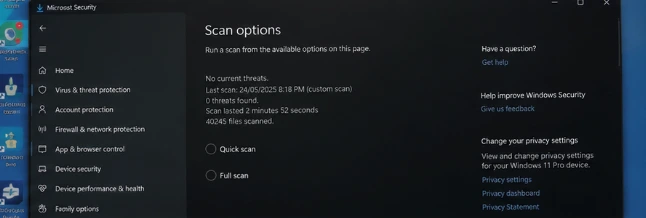
- Keep Windows Security or another reputable scanner active.
- Close sensitive banking sessions during setup.
Installation steps
- Open the Windows download link.
- Check the file properties and publisher information.
- Scan the downloaded file before opening it.
- Review every setup option.
- Decline unrelated extensions and bundled programs.
If Windows blocks the file
A security warning is a reason to verify the file, not an instruction to click through. Do not turn off Windows Security to complete an unexplained installation.
Read the Windows prompt, not just the button
Windows may show the filename, publisher and the location from which the file was downloaded. Compare those details before choosing Run. “Unknown publisher” does not automatically prove malware, but it means Windows cannot confirm a trusted signing identity, so the file deserves more scrutiny rather than less.
Use Properties to inspect the file and scan it with Windows Security. If the installer asks for administrator access, remember that this allows changes beyond the browser. Close banking sessions and save your work before continuing.
Installation choices that matter
Choose a custom setup when one is offered. That makes it easier to see extra browser extensions, launchers or bundled applications. Untick anything unrelated to Mega888. After installation, review the new shortcuts and installed-programs list so you know exactly what changed.
If the program opens to a blank or frozen screen, start with a normal restart and a stable connection. Reinstalling repeatedly is less useful than recording the Windows version, app version and exact point of failure for the support centre.
Accounts on a shared computer
A Windows PC may be used by several people. Do not let the app or browser save a gaming password on a public or shared profile, and sign out when finished. If you cannot access an existing account, use the Mega888 login troubleshooting flow instead of downloading account-recovery tools.
Related Mega888Go guides
- Compare Android, iOS and Windows downloads
- Check a downloaded installer
- Recognize fake update messages
- Set session and spending limits
Windows information reviewed 22 July 2026.